Shipment tracking rarely belongs to just one person. Colleagues need to check progress, follow up on changes, and share context about the same shipments. Keeping that information in separate lists creates extra work and makes coordination harder.
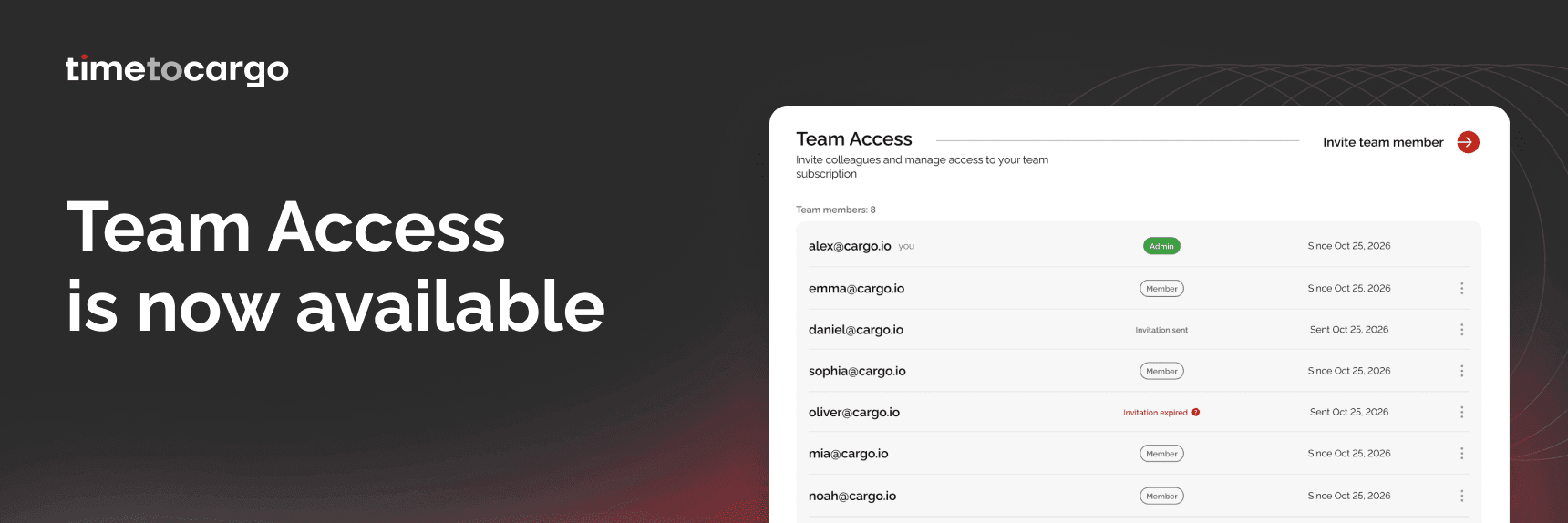
Team Access brings your colleagues into one shared shipment workspace in TimeToCargo. Built in response to customer requests, it lets your team work together under the same subscription, with shared tracking records and individual notification preferences.
One shipment list for the whole team
With Team Access, colleagues can add shipments and view tracking information in a shared dashboard. Everyone works from the same list, so there is no need to maintain separate tracking lists for each team member.
Team members can refresh tracking data, archive shared records, and leave notes that colleagues can see. Whether someone is checking a shipment’s progress or picking up a task from a teammate, the tracking information and shared context are available in one place.
Keep the context alongside the shipment
Tracking data tells you what is happening. Shared notes help your team understand what to do next.
For example, a colleague can leave a note about a customer follow-up or an internal task associated with a shipment. Another team member can review that context alongside the tracking information when continuing the work.
This makes shared notes useful for everyday coordination and handovers, helping colleagues stay informed without maintaining a separate record of every update.
A shared workspace with personal settings
Working together does not mean everyone needs the same view or notifications.
Team members can customize tracking table columns and configure their personal notification settings. Each colleague can tailor how they work while continuing to use the team’s shared shipment list.
Team members can:
- Add shipments and view tracking information.
- Refresh tracking data and archive shared tracking records.
- Create and read shared notes.
- Customize tracking table columns.
- Set their own notification preferences.
Clear responsibilities for admins and team members
Team Access gives administrators the tools to manage the workspace while colleagues focus on shipment tracking.
The admin has all team member capabilities and can also manage team access, handle the subscription and billing, and configure the API. This keeps subscription and access management with the admin while enabling the team to collaborate on daily tracking tasks.
Included in your subscription
Team Access is included in paid TimeToCargo subscriptions at no additional cost for the feature. It is also available during the 7-day free trial, so you can explore shared shipment tracking with your colleagues as part of your trial.
If you already have a paid subscription, you can start using Team Access within your existing plan.
Invite your team and try it together
To get started, open Team Management in your TimeToCargo account and invite your colleagues. Try adding shipments, leaving shared notes, and setting up notifications to see how Team Access fits your workflow.
Your requests helped shape this release. Once you have tried it, let our support team know what works well and what would make collaboration easier.
Bring your team together in TimeToCargo — and make shipment tracking a shared effort.